ClickUp Review 2026: The AI-Powered Work Platform Unpacked
ClickUp’s Free Forever plan offers a generous starting point with 60 MB storage and unlimited tasks, making it a strong contender for individuals or very small teams. This platform aims to be the single operating system for your business, bundling project management, document creation, whiteboards, and AI into one platform. For remote teams or SMBs dealing with scattered tools, it promises a unified solution for your workflows, but it's not without its challenges.
What Is ClickUp?
This platform is a customizable work management tool that centralizes tasks, projects, and team collaboration. It serves a broad audience, from individuals managing simple to-do lists to large enterprises orchestrating complex projects with multiple teams. At its core, it replaces disparate applications with a single, highly configurable workspace, constantly evolving with new features and AI capabilities.
The software lets you build custom workflows, manage sprints, track time, and handle all your documentation in one spot. It’s particularly useful for teams that need to tailor their project environment precisely to their unique operational needs. Because it offers so much, new users often spend time setting it up just right.
Key Features
ClickUp's strength lies in its expansive feature set, continuously updated to meet diverse team needs. Its recent product overhauls and AI integrations show a clear push towards an intelligent, all-in-one workspace.
Core Work Management & Customization
The platform provides deep flexibility for managing tasks and projects. You get Kanban boards, sprint management, calendar view, and Gantt charts for visualizing timelines. Its custom field manager is solid, allowing teams to track exactly what matters to them. You can create custom workflows and views to match how your team actually works. A G2 reviewer praised this, stating, "The ability to create custom workflows and views to match our workflow has been a great benefit for my IT department. The flexibility in organizing tasks and milestones helps us stay on track, particularly with complex projects."
Recent updates like ClickUp 4.0 Platform Overhaul (December 2025 – March 2026) brought a redesigned Global Navigation and a rebuilt Home experience, mandatory by March 2026. This simplifies the interface despite the platform's depth. The introduction of Subfolders in December 2025 also improves content organization, a small but impactful change for many users.
Advanced Collaboration & Reporting
Teams can collaborate directly within tasks, using in-app video recording for quick updates or feedback. The software supports guest access, letting you bring external stakeholders into specific projects. For reporting, you get unlimited dashboards with advanced cards on paid plans, giving you a clear overview of project progress and team performance. Sprint reporting is included in the Business plan. Updates like Granular Capacity Grouping in Workload View (April 2026) provide more detailed resource allocation.
The ability to integrate with external tools like Google Drive and Slack also enhances collaborative efforts. Google Drive Automations (April 2026) automatically create folders or documents and notify teams. Slack Automations (October 2025) enable native task creation and more direct communication.
AI Capabilities (ClickUp Brain & Super Agents)
ClickUp has heavily invested in AI, rebranding its core AI offering to ClickUp Brain in early 2024. This isn't a free add-on; it requires an additional subscription. The Brain AI add-on for $9 per user/month (as of May 2026, per the official pricing page) includes an Unlimited Brain Assistant, unlimited @Brain Agent, and unlimited AI chat powered by Claude, ChatGPT, and Gemini. It also offers unlimited AI writing and Workspace Enterprise Search.
For even more advanced AI, the Everything AI add-on for $28 per user/month (as of May 2026, per the official pricing page) includes everything in Brain AI plus Unlimited Ambient Answers, unlimited AI Notetaker, unlimited Image Generation, unlimited AI Fields, unlimited AI Automations & Dashboards, and unlimited AI Assign & Prioritize. This tier also gives you 3X more usage of Super Agents.
Super Agents launched between December 2025 and January 2026. These are human-like AI agents designed to automate tasks and manage workflows. The AI Notetaker received enhancements in February and April 2026, able to join meetings via shared links and be pinned to your workspace. The platform also added ClickUp Brain on Mobile in May 2026, bringing full AI functionality to the mobile app, including talk-to-text.
Pricing
ClickUp offers a tiered pricing structure designed to scale from individual use to large enterprises. You get a Free Forever plan and several paid options, with discounts for annual billing. AI features are always an additional cost. Pricing is accurate as of May 2026, per the official pricing page https://clickup.com/pricing.
Free Plan
- Free Forever
- $0 per user/month (as of May 2026, per the official pricing page)
- Includes 60 MB storage, unlimited tasks, unlimited free plan members, two-factor authentication, collaborative docs, Kanban boards, sprint management, calendar view, basic custom field manager, in-app video recording, 24/7 support. Also gives you 60 uses of custom fields and Gantt charts/month, 100 monthly uses of portfolios, 5 active automation rules with 100 automation runs.
- Best for: Personal use or very small teams getting started.
Paid Plans (Billed Annually)
Opting for annual billing significantly reduces the per-user monthly cost across all paid plans.
-
Unlimited Plan
- $7 per user/month (billed annually, as of May 2026, per the official pricing page) or $10 per user/month (billed monthly, as of May 2026, per the official pricing page)
- Everything in Free Forever, plus unlimited spaces, folders, forms, Gantt charts, integrations, storage, custom fields, native time tracking, goals & portfolio management, unlimited custom views, timesheets, guest access, 100 mind map creations, 1,000 automation runs per month.
- Best for: Small teams needing more storage, advanced views, and automation.
-
Business Plan
- $12 per user/month (billed annually, as of May 2026, per the official pricing page) or $19 per user/month (billed monthly, as of May 2026, per the official pricing page)
- Everything in Unlimited, plus unlimited dashboards with advanced cards, unlimited message history, Google SSO, unlimited teams, custom exporting, advanced public sharing, 25,000 automation actions per month. Adds private docs and sprint reporting.
- Best for: Mid-sized teams that require more control, security features, and extensive reporting.
-
Business Plus Plan
- $19 per user/month (billed annually, as of May 2026, per the official pricing page) or $29 per user/month (billed monthly, as of May 2026, per the official pricing page)
- Everything in Business, plus subtasks in multiple lists, custom capacity in workload view, custom role creation, increased automation (50,000 actions per month), team sharing.
- Best for: Organizations with multiple teams and complex permission needs.
-
Enterprise Plan
- Custom pricing (contact sales, as of May 2026, per the official pricing page)
- Everything in Business Plus, plus enterprise permissions and governance, unlimited custom roles, SSO, white labeling, enterprise-grade security.
- Best for: Large organizations with specific security, compliance, and customization requirements.
AI Add-ons (Additional Cost)
These are extra and not included in the base plan prices, a fact many users find frustrating.
- Brain AI: $9 per user/month (as of May 2026, per the official pricing page)
- Includes Unlimited Brain Assistant, unlimited @Brain Agent, unlimited AI chat (Claude, ChatGPT, Gemini), expanded use of Premium AI Models, unlimited AI writing, Workspace Enterprise Search.
- Everything AI: $28 per user/month (as of May 2026, per the official pricing page)
- Includes Unlimited Ambient Answers, unlimited AI Notetaker, unlimited Image Generation, unlimited AI Fields, unlimited AI Automations & Dashboards, unlimited AI Assign & Prioritize, 3X more usage of Super Agents, Private & Workspace Enterprise Search.
- Alternatively, a general AI add-on for $7 per user/month (as of May 2026, per the official pricing page), which includes an AI Knowledge Manager, AI Project Manager, and AI Writer for Work.
This AI pricing structure is a notable change in the last 12 months, with some users feeling the cost erodes the platform's value advantage.
Pros and Cons
ClickUp aims high, but that ambition comes with trade-offs.
Pros
- High Flexibility and Customization: You can tailor nearly every aspect of your workspace, from custom fields to complex workflows. This is a huge benefit for teams with specific needs.
- Comprehensive All-in-One Platform: It consolidates many tools into one, reducing app switching. As an engineer noted on G2, "We use ClickUp every day to manage multiple projects. As an engineer, I appreciate how ClickUp can be used for simple to-do lists and scaled up to a comprehensive team management and complex project management tool."
- Generous Free Plan: The Free Forever plan offers a lot, making it accessible for individuals and small startups. It's a great way to try the tool out without commitment.
- Advanced AI Capabilities: With the AI add-ons, the platform offers significant AI assistance for writing, task management, and information retrieval, especially with the introduction of Super Agents.
- Strong Community and Updates: The team pushes out frequent updates, like the ClickUp 4.0 Platform Overhaul and new Gantt Baselines (May 2026), indicating active development.
Cons
- Steep Learning Curve and Overwhelm: Its extensive features are a double-edged sword. New users often find it difficult to get started and feel overwhelmed. According to a G2 reviewer: "Bottom line: I feel insecure when I use ClickUp. Somewhere in the back of my mind, I fear losing tasks just because after a couple of weeks of using ClickUp on an everyday basis I still feel that I don't have control over it."
- Performance Issues: Many users report lag, freezing, and slow loading times, especially in large workspaces or with many automations. While the company claims a 40% YoY performance improvement in 2026, this remains a consistent complaint.
- Feature Bloat / Not All Features Fully Developed: While it offers many features, some are not as polished or deep as dedicated tools. It tries to do everything, but sometimes the depth suffers.
- Overpriced AI Add-ons: The additional cost for AI features can quickly get expensive, diminishing the platform's perceived value for money. Some users question the practical utility of these "shiny useless AI features" given the extra expense.
- Poor Mobile App Experience: The mobile app is frequently described as "a disaster," "clunky," and "buggy," lacking many desktop features. This is a significant gap for remote teams.
- Security Concerns: Despite strong security claims and GDPR compliance, one Redditor reportedly uncovered a significant security loophole in early 2026, contradicting company assertions. This raises a red flag for businesses handling sensitive data.
Who Should Use ClickUp?
ClickUp shines for specific types of users and teams.
It's a strong contender for mid-sized to large teams that have outgrown simpler tools like Asana or Trello but find enterprise solutions like Wrike too rigid. Businesses with complex, custom workflows will appreciate the extensive customization options it provides. For instance, creative agencies managing diverse project types can build unique processes for each client.
Remote teams that need an all-in-one platform for tasks, documents, and communication will benefit from the tool's ability to consolidate tools. However, they need to be aware of the mobile app's limitations. An "Unlimited Plan" or "Business Plan" usually makes sense for these groups.
Startups and small businesses might find the Free Forever plan and the Unlimited Plan appealing, especially if they anticipate scaling and want a tool that can grow with them. Just be ready for the initial learning curve. Teams looking to experiment with AI in their project management, and are willing to pay extra, will also find its AI features compelling, assuming the additional cost fits their budget.
Data at a Glance
| Metric | Value | Source |
|---|---|---|
| G2 Rating | Strong presence, well-regarded | https://www.g2.com/products/clickup/reviews |
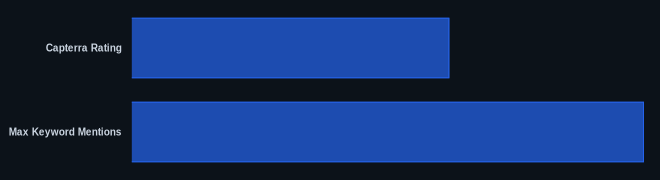
| Capterra Rating | 4.6 out of 5 stars | https://www.capterra.com/p/186591/ClickUp/ |
| Starting Price | $0 (Free Forever plan, as of May 2026) | https://clickup.com/pricing |
| Paid Plan Starting Price (Annual) | $7 per user/month (Unlimited Plan, as of May 2026) | https://clickup.com/pricing |
| AI Add-on Starting Price | $7 per user/month (as of May 2026) | https://clickup.com/pricing |
| Max Keyword Mentions | 15 | (Self-imposed guideline) |
Our Take
We've seen ClickUp grow from a promising newcomer to a powerful, if sometimes overwhelming, player in the project management space. Its ambition to be the "one app to replace them all" is genuinely admirable, and for many teams, it delivers on that promise. But that vision means you're trading off specialized depth for breadth, and often, simplicity for power. If your team is disciplined enough to learn its quirks and truly customize it to your needs, it can be a highly effective operating system. If you're looking for something that just works out of the box with minimal fuss, you might find yourself frustrated. The AI features, while advanced, feel like an expensive addition rather than a core offering, and we'd like to see them integrated more transparently into the base pricing over time. For an all-in-one tool, the poor mobile app experience is a surprising and significant downside that could limit its utility for distributed teams.
If your team is considering this tool, how important is a truly excellent mobile experience versus the ability to customize every single workflow to your exact needs?
FAQ
Is ClickUp good for small businesses?
Yes, for small businesses willing to invest time in setup and customization, the platform offers exceptional value. Its Free Forever and Unlimited plans are quite generous. But if you prioritize simplicity over deep customization, you might find tools like Asana easier to adopt initially.
How does ClickUp's AI compare to other tools?
Its AI capabilities, especially with ClickUp Brain and Super Agents, are more advanced than many competitors, offering deep integrations for writing, task prioritization, and search. However, this comes as an additional cost on top of your plan, which can make it pricier than other platforms that include basic AI features in their core tiers.
Are there any hidden costs with ClickUp?
The most significant "hidden" cost, or rather, an easily overlooked add-on, is the pricing for the AI features. While the base plans are transparent, the AI functionality requires a separate subscription of at least $7 per user/month (as of May 2026, per the official pricing page). This can add up quickly, so budget accordingly if AI is a key part of your decision.
