monday.com's Basic plan starts at $9 per seat per month (billed annually, as of May 2026), but its mandatory 3-seat minimum means a two-person team will still pay $27 per month, making it a pricey option for very small businesses despite its powerful new AI capabilities.
What Is monday.com?
The platform has evolved into an AI Work Platform, bringing all your team's operational needs under one roof. Think beyond simple task tracking; the software now integrates AI agents that can actively perform work, from drafting marketing copy to qualifying sales leads and triaging customer support tickets. It's built for diverse teams—project managers, CRM users, developers, and service operations—who want a unified, visually driven workspace that adapts to their specific workflows rather than forcing them into a rigid structure.
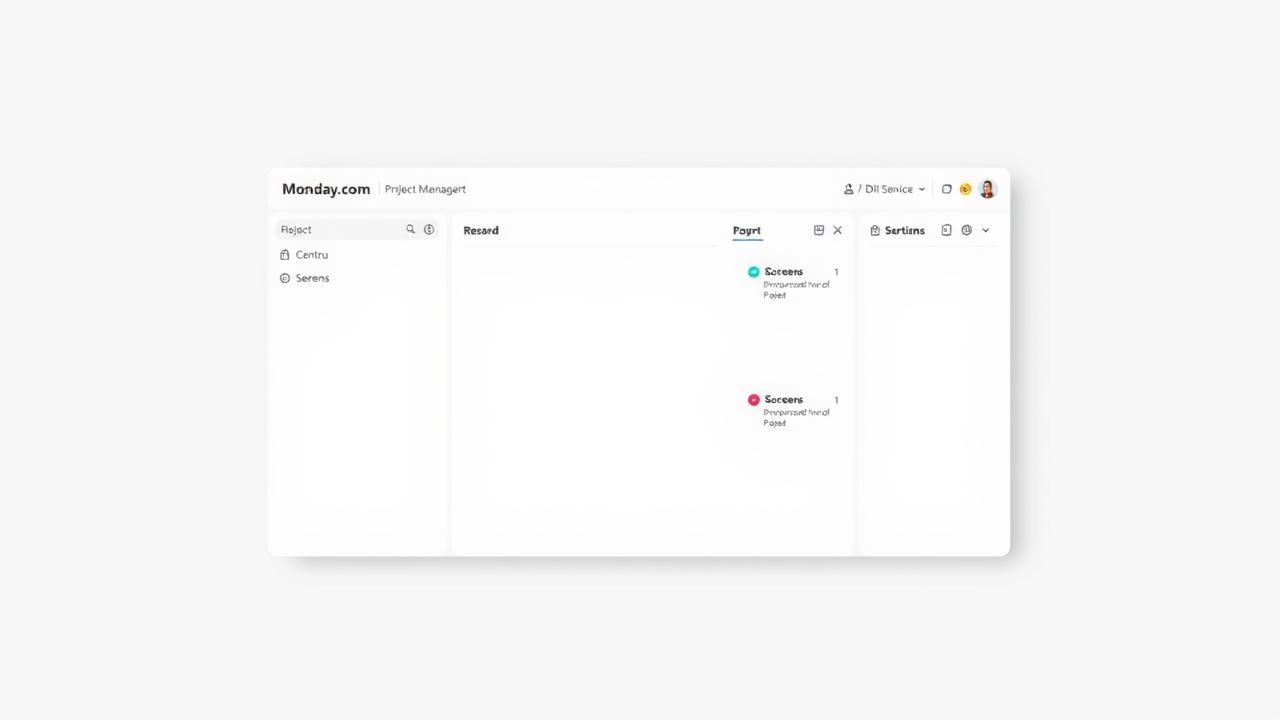
The platform's core strength remains its intuitive, visual interface, where every project, process, or workflow lives on customizable "boards." These boards are vibrant, color-coded, and instantly understandable, making it easy for new users to jump in without a steep learning curve. The goal is to provide a central nervous system for your business, turning abstract goals into actionable, trackable items with AI assisting in the heavy lifting.
Key Features
Visual & Customizable Interface
The first thing you notice about monday.com is its colorful, spreadsheet-like interface. It’s highly visual, which means you can quickly grasp project status and team workload at a glance. Boards are the foundation, adaptable for any use case—from content calendars to bug trackers. You can drag and drop columns, change item types, and tailor views (like Gantt, Kanban, or Calendar) to exactly how your team works. This flexibility means you can sculpt the platform to fit your existing processes, not the other way around.
AI Agents & AI Workflows
The biggest leap for the platform in 2026 is its embrace of AI. It’s no longer just about automations; the platform now incorporates AI Agents that can perform tasks directly within your workflows. Imagine an AI agent drafting a social media campaign based on a project brief, or automatically qualifying new leads as they enter your CRM board. The "Call My Agent" feature lets you trigger these AI agents as part of your custom automations. It's an active participant, not just a passive helper.
The monday Sidekick, now an account-wide feature, also gained natural language prompt-to-automation capabilities. This means you can simply describe the automation you want, and Sidekick helps build it. It’s a significant step towards intelligent workflow management, aiming to offload more repetitive or creative tasks to the AI.
Collaboration & Communication
Every item on a board acts as a mini-collaboration hub. Team members can comment, attach files, mention colleagues, and track updates directly within the task. This keeps conversations contextual and eliminates the need to jump between different communication tools. Live project boards can even be embedded directly into Workdocs, providing a dynamic, real-time context for your documentation. The platform fosters transparency, making it clear who's responsible for what and where things stand.
Reporting & Dashboards
Getting insights from your data is crucial for any business owner. The platform's customizable dashboards shine here. You can pull data from multiple boards into a single, complete view, creating widgets for everything from team workload to project budgets and sales pipelines. It’s a powerful way to monitor KPIs in real-time and make data-driven decisions. According to a user review: "The ability to create a dashboard that updates every time there are changes to the source data is fantastic… I just love it."
Automation & Integrations
Automating repetitive tasks saves significant time, and monday.com offers solid capabilities here. You can set up custom triggers and actions, like notifying a team member when a task is completed or moving an item to a new stage when its status changes. The platform also boasts a strong ecosystem of integrations with popular third-party tools like Slack, Zoom, Microsoft Teams, and various CRM systems. This allows you to connect your workflows across different applications, creating a more cohesive operational environment. However, these automations are capped on lower-tier plans, which can become a hidden cost if you rely heavily on them.
Task & Project Management
At its core, the platform excels at visual task and project management. You can break down large projects into manageable tasks, assign owners, set deadlines, and track progress using various views. A significant recent update in January 2026 addressed a long-standing user complaint by introducing multi-level subitems, allowing up to four levels deep. This means you can now organize complex projects with granular detail, a feature previously a strong differentiator for competitors like Asana. It shows the platform is responsive to user feedback and continuously improving its core functionality.
Pricing
monday.com offers a tiered pricing structure designed for various team sizes and needs, starting with a free plan and four paid tiers: Basic, Standard, Pro, and Enterprise. A critical detail for all paid plans is the 3-seat minimum, meaning even if you have a two-person team, you’ll pay for three users. Additional users are often purchased in increments of 5. AI features are integrated across plans, with basic AI included and advanced AI capabilities operating on a credit system, potentially incurring additional fees.
As of May 2026, per the official pricing page:
- Free Plan: This plan is free forever, for up to 2 users. It provides a solid starting point with up to 3 boards, unlimited documents, 500 MB storage, a 1-week activity log, and over 200 templates. Whiteboard collaboration is also included, making it useful for small, basic needs.
- Basic Plan: Priced at $9 per seat per month (billed annually, 3-seat minimum, as of May 2026). It includes everything in the Free plan, plus unlimited items, unlimited free viewers, 5 GB file storage, and prioritized customer support. You also get dashboards based on a single board. This plan is limited, lacking integrations, automations, and advanced views.
- Standard Plan: The most popular plan, priced at $12 per seat per month (billed annually, 3-seat minimum, as of May 2026). It builds on the Basic plan, adding crucial features like Timeline, Gantt, and Calendar views, essential for project management. It also introduces guest access and 250 automations and integrations per month. This is often considered the entry point for serious workflow automation.
- Pro Plan: Available at $19 per seat per month (billed annually, 3-seat minimum, as of May 2026). This plan includes all Standard features and adds powerful tools like time tracking, private boards and docs, formula and dependency fields, 100 GB storage, and a 1-year activity log. It significantly boosts automation capabilities to 25,000 actions per month, making it suitable for teams with more complex and frequent automated workflows.
- Enterprise Plan: This plan offers custom pricing. It’s tailored for large organizations requiring custom security features, advanced support, SSO, extensive permissions, and 250,000 automation actions per month. It's designed for maximum control and scalability.
Hidden Costs/Add-ons:
The 3-seat minimum for all paid plans is a significant hidden cost for smaller teams; a two-person startup will pay for three users. The automation caps on lower tiers, like the 250 actions/month on the Standard plan, can quickly become insufficient for busy teams, forcing upgrades or incurring additional fees. Furthermore, advanced AI features operate on a credit system, meaning more extensive AI usage will likely lead to extra charges beyond your monthly subscription. A notable 18% price hike across all tiers for monday service was announced in February 2026, making these cost considerations even more critical.
Pros and Cons
Pros
- Visually Intuitive Interface: Highly praised for its colorful, clean, and user-friendly design, making adoption quick and easy for most teams.
- Exceptional Customization: Boards and workflows are incredibly flexible, allowing teams to build systems tailored exactly to their unique operational needs, rather than adapting to rigid software.
- Integrated AI Agents: The platform's new AI agents actively execute tasks, such as drafting content or qualifying leads, moving beyond simple automation to genuine AI-powered work.
- Solid Reporting & Dashboards: Powerful, customizable dashboards provide real-time insights by combining data from multiple boards, enabling data-driven decision-making.
- Improved Subtask Management: The January 2026 update introduced up to four levels of subitems, addressing a major historical complaint and allowing for more detailed project breakdowns.
Cons
- High and Complex Pricing: The mandatory 3-seat minimum for paid plans, coupled with the 18% price hike in February 2026, makes the platform expensive, especially for smaller teams.
- Hidden Costs: Automation caps on lower tiers and the credit system for advanced AI features can lead to unexpected and rapidly escalating expenses.
- Inconsistent Customer Support: While some users report excellent support, others describe it as consistently poor, slow, or unhelpful, creating an unpredictable experience.
- Feature Lock-in: Many essential administrative controls and deeper functionalities are locked behind higher-tier plans, which can make lower plans feel limiting and frustrate growing teams. According to a user review: "The tools works well and easy to manage, but the pricing becomes tough to justify. A lot of essential admin control and deeper features are locked behind higher plans. which makes it feel limiting."
- Learning Curve for Advanced Features: While basic use is simple, mastering all the customization, automations, and AI features can take time and effort.
Who Should Use monday.com?
monday.com is ideal for SMBs and remote teams that need a highly visual, flexible platform to manage diverse operations beyond just project tasks.
- Marketing Agencies and Creative Teams: The visual boards and collaborative features make it perfect for managing content calendars, campaigns, and creative workflows. The new AI agents could draft campaign copy or social media posts, saving significant time.
- Sales and CRM Teams: Its adaptability allows for custom CRM setups, tracking leads, deals, and customer interactions. AI agents could qualify leads or triage initial inquiries.
- Development Teams: Agile project management, bug tracking, and sprint planning can be easily visualized and managed. The new API queries can further assist developers.
- Service Operations: For managing service requests, support tickets, and client onboarding, its customizable boards and automation capabilities can help speed up processes. An AI agent could triage incoming tickets, for example.
- Teams Prioritizing Visual Management: If your team thrives on seeing progress, statuses, and workloads at a glance rather than digging through text-heavy lists, the platform's interface will be a major win.
- Growing Teams with Budget: While the pricing can be steep, especially with the 3-seat minimum and recent hike, teams that are scaling and can invest in a comprehensive, AI-powered work platform will find the customization and feature set valuable. However, if you're a true small business (1-2 people) on a tight budget, the 3-seat minimum will feel punitive.
The platform is not for everyone. Very small teams (1-2 users) might find the 3-seat minimum for paid plans prohibitive, making more budget-friendly alternatives like ClickUp more appealing. If you need highly specialized enterprise-grade project management with strict hierarchical controls out-of-the-box, or consistently top-tier, guaranteed customer support, you might need to weigh its pros and cons carefully.
Data at a Glance
| Metric | Value | Source |
|---|---|---|
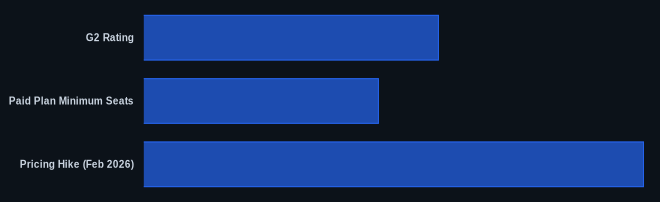
| G2 Rating | 4.7/5 (over 1,200 reviews) | G2 monday.com Reviews |
| Capterra Rating | Not found in research report | monday.com |
| Starting Paid Price | $9/seat/month (Basic, billed annually, as of May 2026) | monday.com Pricing Page |
| Free Tier | Yes, for up to 2 users | monday.com Pricing Page |
| AI Agents | Yes, integrated to perform tasks | monday.com Blog – Product Updates |
| Multi-level Subitems | Up to 4 levels (as of January 2026) | monday.com Blog – Product Updates |
| Paid Plan Minimum Seats | 3 users | monday.com Pricing Page |
| Pricing Hike (Feb 2026) | 18% across all tiers | monday.com (as announced to customers) |
Our Take
We've used the platform for managing various content and marketing projects, and the shift to an "AI Work Platform" is a genuine step forward, not just marketing fluff. The ability to simply describe an automation to Sidekick or trigger an AI agent to draft content within a workflow is where the real value lies for time-strapped teams. However, this increased capability comes at a cost that feels increasingly steep. The 18% price hike and the mandatory 3-seat minimum mean you really need to crunch the numbers. While the new multi-level subitems finally addresses a long-standing pain point, the platform needs to ensure its customer support consistently matches the innovation it's delivering, especially given the contradictory reviews we've seen.
If your team is considering monday.com and you're already paying for the Standard plan, have you hit the 250 automation cap, and is that forcing you to consider a Pro upgrade?
FAQ
Is monday.com a good option for a small startup with only 1-2 users?
For a team of 1-2 users, the free plan offers decent basic features like up to 3 boards and unlimited documents. However, if you need any of the advanced features like Gantt charts, automations, or time tracking, you'll need a paid plan. The catch is that all paid plans require a 3-seat minimum, meaning even a two-person team will pay for three users. This gets expensive fast for very small teams, so it might be worth looking at alternatives like ClickUp that offer more generous free or low-cost plans for tiny teams.
What are the main improvements with monday.com's new AI features?
The platform's AI is now actively integrated into workflows as "AI Agents" that can perform specific tasks, like drafting content, qualifying leads, or triaging support tickets. You can trigger these agents within your existing automations using the "Call My Agent" feature (as of March 2026). Additionally, the monday Sidekick now understands natural language prompts to help you build complex automations, and AI columns can be used in templates (as of January 2026). This means AI is moving beyond simple suggestions to direct task execution, aiming to offload more repetitive or semi-creative work.
How does monday.com compare to Asana or ClickUp in 2026?
monday.com stands out with its highly visual interface, deep customization, and proactive AI agents that execute tasks. It's excellent for teams who want to build their workflows from the ground up on a visual canvas. Asana, on the other hand, often appeals to users who prefer a cleaner, more list-oriented interface and excels with strong AI-powered automation for workflow building and smart summaries. ClickUp offers perhaps the most features for the price, often including more storage and automations on lower tiers, and a very generous free plan for unlimited users and tasks, making it a strong contender for budget-conscious teams seeking a feature-rich, all-in-one solution.