Calendly Review 2026: Still the Best Scheduling Tool?
Calendly remains the top choice for smart scheduling in 2026, especially for remote and hybrid teams needing intelligent meeting coordination beyond basic booking. This review is for entrepreneurs, SMBs, and remote teams looking to streamline their calendars and boost productivity.
What Is Calendly?
Calendly is a leading scheduling automation platform designed to eliminate the back-and-forth of arranging meetings. It connects directly to your calendar, allowing invitees to see your real-time availability and book a slot that works for everyone. Originally a simple booking tool, it's evolved into a sophisticated coordination hub, vital for sales, marketing, recruiting, and customer success teams.
The platform helps businesses of all sizes manage their meeting workflows, from one-on-one sales calls to large group training sessions. Its core strength lies in automating the entire scheduling process, ensuring that critical interactions happen smoothly and on time.
Key Features
Automated Scheduling
Connects directly to your Google Calendar, Outlook Calendar, or iCloud Calendar to display your real-time availability. Once an invitee selects a time, the event is automatically added to both calendars.
Event Types
Create various meeting formats, including one-on-one, group, collective (multiple hosts), and round robin events. You can set buffer times between meetings, specify minimum scheduling notice, and limit daily bookings to prevent burnout.
AI-Powered Insights
New for 2026, Calendly now uses AI to suggest optimal meeting times. It analyzes participant habits and calendar load to recommend slots that minimize meeting fatigue and boost attendance. The AI also offers predictive no-show analytics, helping teams anticipate and address potential cancellations.
Customization
Personalize your booking pages with your company's branding. Add custom questions to collect specific information from invitees before a meeting, and even redirect them to a custom page after booking for seamless lead nurturing.
Automated Notifications
Reduce no-shows and ensure clear communication with automated confirmations, reminders, and follow-ups. These can be sent via email or SMS, keeping everyone informed without manual effort.
Integrations
With over 100 direct integrations, Calendly connects to essential business tools like Salesforce, HubSpot, Zoom, Microsoft Teams, Slack, GoToMeeting, Stripe, and PayPal. Its extensive ecosystem, plus thousands more via Zapier, positions it as a central hub for many professional workflows.
Team Functionality
For larger groups, Calendly offers features like team pages, collective event types (where invitees can book with any available team member), and round robin scheduling to distribute meetings evenly among a sales or support team. Admin management provides oversight and centralizes billing.
Pricing
Calendly offers flexible pricing tiers to fit various needs, as of May 2026, per the official Calendly pricing page:
- Basic: Free forever. Includes one event type, calendar connections, automated notifications, and limited integrations. Perfect for individuals with minimal scheduling requirements.
- Standard: $10/user/month (billed annually, $12 monthly). Adds unlimited event types, group events, availability polls, custom branding, and essential integrations. Ideal for small teams or professionals needing more flexibility.
- Teams: $16/user/month (billed annually, $20 monthly). Includes everything in Standard, plus round robin scheduling, admin management, centralized billing, and advanced reporting. Designed for larger teams requiring coordinated scheduling.
- Enterprise: Custom pricing. Offers advanced security, compliance features, dedicated support, and enterprise-grade integrations. Suited for large organizations with complex needs.
Pros and Cons
Pros:
- Extremely easy to set up and use for both hosts and invitees.
- Professional, clean interface that instills confidence.
- Robust Free tier provides significant value for basic needs.
- Extensive integration library supports a wide array of business tools.
- Significant time-saver for scheduling and follow-ups.
- New AI features for intelligent scheduling and no-show reduction enhance efficiency.
Cons:
- Can become expensive for larger teams, as pricing is per user.
- Limited customization options for booking pages on lower tiers.
- While AI is new, its full impact on all users is still evolving; some advanced features are restricted to higher plans.
- Primarily a scheduling tool; relatively basic CRM functionalities compared to dedicated sales platforms.
Who Should Use Calendly?
Calendly is ideal for virtually anyone who regularly schedules meetings. This includes:
- Sales Professionals: Automate demo bookings and follow-ups, integrate with Salesforce or HubSpot.
- Marketing Teams: Schedule discovery calls, webinars, or content interviews.
- Customer Success Managers: Coordinate check-ins and support sessions.
- HR and Recruiters: Streamline interview scheduling, particularly helpful when coordinating with multiple candidates and hiring managers.
- Consultants and Coaches: Manage client appointments and optimize booking flows.
- Remote and Hybrid Teams: Coordinate meetings across different time zones efficiently, reducing manual effort and meeting fatigue.
It works well for individual freelancers, small businesses, and large enterprises, thanks to its scalable features and pricing tiers.
Data at a Glance
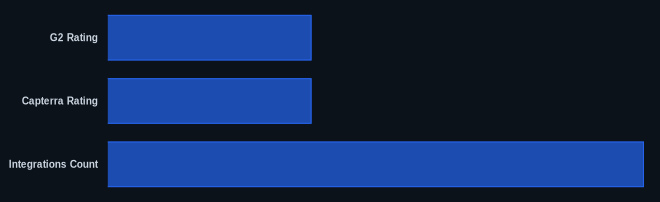
| Metric | Value | Source |
|---|---|---|
| G2 Rating | 4.7/5 stars | G2.com Calendly Reviews |
| Capterra Rating | 4.7/5 stars | Capterra.com Calendly Reviews |
| Starting Price | Free | Calendly Pricing Page |
| Integrations Count | 100+ direct | Calendly Features Page |
| Free Tier | Yes | Calendly Pricing Page |
Our Take
We believe Calendly's push into AI-powered intelligent scheduling truly differentiates it in 2026. While competitors like Chili Piper offer similar advanced routing for sales teams, Calendly's accessible interface combined with features like predictive no-show analytics makes it a stronger all-around solution for broader team coordination. It's not just about finding an open slot anymore; it's about finding the right slot, and that's a subtle but significant shift for productivity-focused businesses.
FAQ
Q: Can Calendly integrate with my existing tech stack?
A: Yes, Calendly offers over 100 direct integrations with popular tools like Zoom, Salesforce, HubSpot, and Microsoft Teams. It also connects with Zapier, opening up thousands more integration possibilities to fit into virtually any workflow.
Q: Is Calendly suitable for large organizations with complex needs?
A: Absolutely. While the Basic and Standard tiers cater to individuals and small teams, the Teams and Enterprise plans are designed for larger organizations. They include features like centralized billing, admin management, advanced security, and dedicated support, ensuring it can scale with your business.
Q: How do Calendly's new AI features specifically help reduce meeting fatigue and no-shows?
A: Calendly's AI analyzes participant calendar loads and past habits to suggest meeting times that are less likely to conflict with critical work or contribute to burnout. For no-shows, its predictive analytics can flag appointments at higher risk of cancellation, allowing hosts to proactively send personalized reminders or offer rescheduling options, improving attendance rates.
